

Skip to content
View in the app

A better way to browse. Learn more.

BRICKPICKER

A full-screen app on your home screen with push notifications, badges and more.

To install this app on iOS and iPadOS
  1. Tap the Share icon in Safari
  2. Scroll the menu and tap Add to Home Screen.
  3. Tap Add in the top-right corner.
To install this app on Android
  1. Tap the 3-dot menu (⋮) in the top-right corner of the browser.
  2. Tap Add to Home screen or Install app.
  3. Confirm by tapping Install.

Leaderboard

Popular Content

Showing content with the highest reputation on 04/23/2026 in all areas

  1. It has been a long time since I have posted anything. Mainly because I have been working on selling at comic book/toy shows. This is a video my buddy Mardigrasman23 on YouTube filmed at my first show ever. Hopefully soon I will have my Bricklink store and my Youtube channel up and running. https://youtu.be/57mvWHmR2Kw
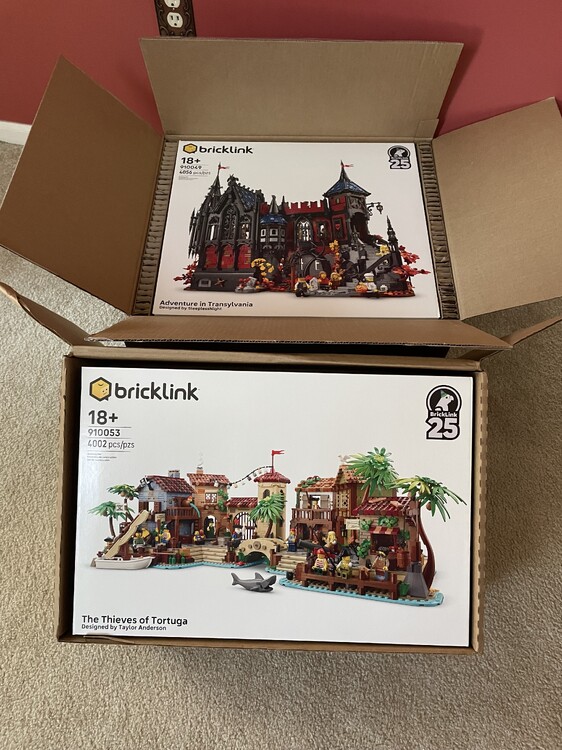
  2. Sets arrived minty. Got the VIP points just waiting on the Rak.
  3. 1 point
    Welcome back to classic rock channel, no AI, no autotune

Account

Navigation

Search

Search

Configure browser push notifications

Chrome (Android)
  1. Tap the lock icon next to the address bar.
  2. Tap Permissions → Notifications.
  3. Adjust your preference.
Chrome (Desktop)
  1. Click the padlock icon in the address bar.
  2. Select Site settings.
  3. Find Notifications and adjust your preference.