Jump to content
View in the app

A better way to browse. Learn more.

BRICKPICKER

A full-screen app on your home screen with push notifications, badges and more.

To install this app on iOS and iPadOS
  1. Tap the Share icon in Safari
  2. Scroll the menu and tap Add to Home Screen.
  3. Tap Add in the top-right corner.
To install this app on Android
  1. Tap the 3-dot menu (⋮) in the top-right corner of the browser.
  2. Tap Add to Home screen or Install app.
  3. Confirm by tapping Install.

Leaderboard

Popular Content

Showing content with the highest reputation on 03/26/2025 in all areas

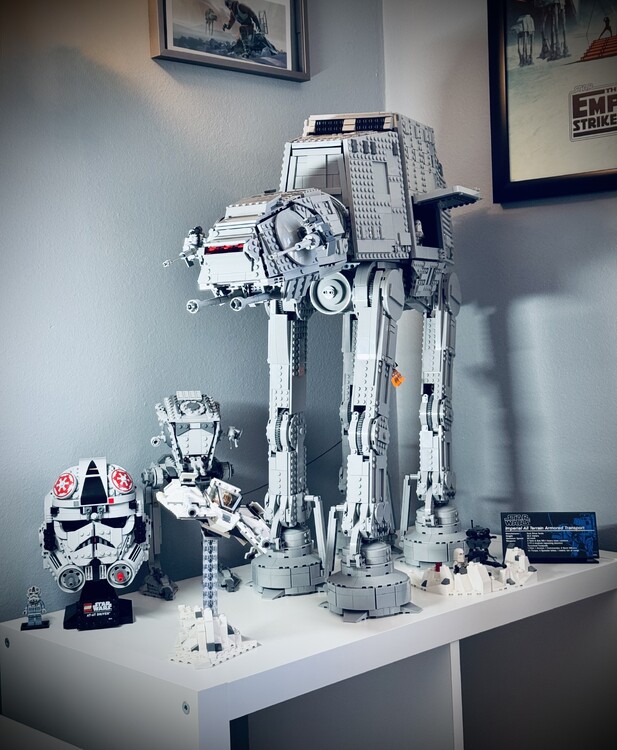
  1. I don’t collect the helmets and the AT-AT driver was my first and will be my only. I think it looks cool. Stickers suck. Mainly got it to go with my UCS AT-AT.
  2. Back. Amazon.com: LEGO Holiday Main Street Building Kit, Christmas Village Adult Set for Families, Holiday Display Set with Shops, Streetcar and 6 Minifigures, Christmas Decoration to Build Together, 10308 : Toys & Games Limit 20. @retail $99.99
  3. 1604 pieces for around $100
  4. Walmart when you mess up: amazon when you dont update your home address:

Account

Navigation

Search

Configure browser push notifications

Chrome (Android)
  1. Tap the lock icon next to the address bar.
  2. Tap Permissions → Notifications.
  3. Adjust your preference.
Chrome (Desktop)
  1. Click the padlock icon in the address bar.
  2. Select Site settings.
  3. Find Notifications and adjust your preference.