

Leaderboard




Popular Content
Showing content with the highest reputation on 02/07/2023 in all areas
-
12 pointshttps://brickset.com/article/90738/10316-rivendell-officially-revealed!


 12 points
 -
Actually this may be the chefs kiss lol Sent from my iPhone using Tapatalk4 points
-
 4 pointsUpdated Brickfanatics list: https://www.brickfanatics.com/every-lego-set-retiring-2023-february-update4 points
 -
because he can wait and buy it later and not fear missing out on an exclusive GWP if he isn't ready to fork $5002 points
-
Set is glorious. Especially these new leaf pieces:
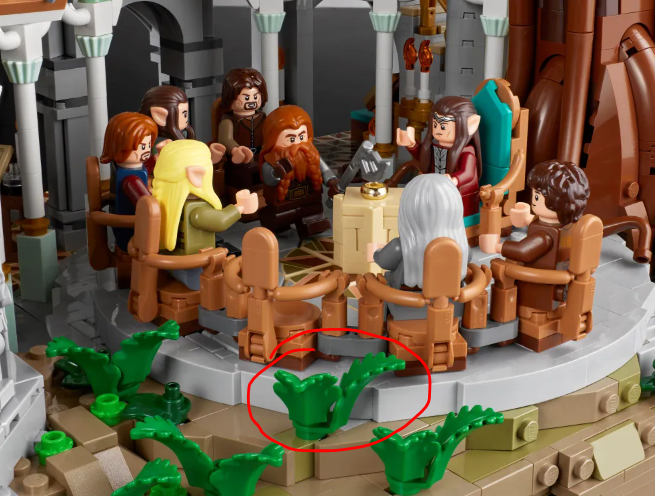 2 points
 -
2 pointsI suppose but if it is a money thing, you could buy now and an exclusive set would be a much bigger rebate on the price if you were willing to sell it. LOR stuff has had some pretty crazy appreciation on it, I wouldn't be surprised if an exclusive GWP could fetch you $50+ aftermarket had they done it, which is a nice 10% off the price.1 pointUCS Lord Of The Rings theme is all I've ever wanted.1 pointhttps://www.lego.com/en-us/product/the-lord-of-the-rings-rivendell-103161 point1 pointNo, the City off-road ambulance. Moving van comes after but does overlap with all of the March 1st releases.1 point1 point1 point1 point1 pointcarrots and t rex were snatched up when i went to go look. got 2 space guys though1 point1 point1 point1 point0 points


