


Jump to content
View in the app

A better way to browse. Learn more.

BRICKPICKER

A full-screen app on your home screen with push notifications, badges and more.

To install this app on iOS and iPadOS
  1. Tap the Share icon in Safari
  2. Scroll the menu and tap Add to Home Screen.
  3. Tap Add in the top-right corner.
To install this app on Android
  1. Tap the 3-dot menu (⋮) in the top-right corner of the browser.
  2. Tap Add to Home screen or Install app.
  3. Confirm by tapping Install.

Featured Replies

3 minutes ago, BricksBrotha said:

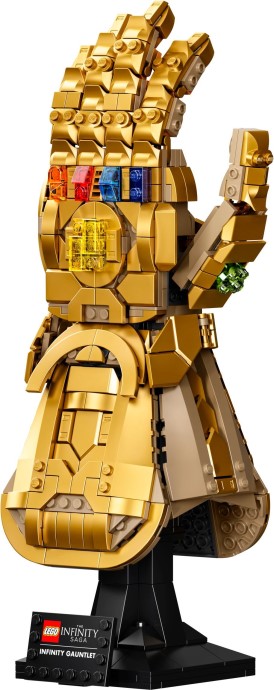
76191-1


:phew:

Totally awesome! Would probably prefer better gem stone pieces but this is a great display piece.

Totally awesome! Would probably prefer better gem stone pieces but this is a great display piece.
Agreed on the infinity stones, but otherwise what a fantastic set! Seems like a miss to have not released soemthing like this three years ago.

Sent from my SM-N975U1 using Tapatalk

5 hours ago, TheOrcKing said:

So I will ask the almighty super duper mega important above everything else within boundless existence question....
How many hand gestures can I make with that?

I want to do these:

The infinity gauntlet - DrawceptionBest Avengers: Infinity War Memes *Spoilers* | Monday Memes

  • 4 weeks later...

Join the conversation

You can post now and register later. If you have an account, sign in now to post with your account.
Note: Your post will require moderator approval before it will be visible.

Guest
Reply to this topic...

Recently Browsing 0

  • No registered users viewing this page.

Configure browser push notifications

Chrome (Android)
  1. Tap the lock icon next to the address bar.
  2. Tap Permissions → Notifications.
  3. Adjust your preference.
Chrome (Desktop)
  1. Click the padlock icon in the address bar.
  2. Select Site settings.
  3. Find Notifications and adjust your preference.