Jump to content
View in the app

A better way to browse. Learn more.

BRICKPICKER

A full-screen app on your home screen with push notifications, badges and more.

To install this app on iOS and iPadOS
  1. Tap the Share icon in Safari
  2. Scroll the menu and tap Add to Home Screen.
  3. Tap Add in the top-right corner.
To install this app on Android
  1. Tap the 3-dot menu (⋮) in the top-right corner of the browser.
  2. Tap Add to Home screen or Install app.
  3. Confirm by tapping Install.

Bricklink's AFOL Designer Program 2024

Featured Replies

  • 2 weeks later...
  • Replies 1.2k
  • Views 309.6k
  • Created
  • Last Reply

Top Posters In This Topic

Most Popular Posts

  • https://www.lego.com/cart?product=910033 Old Train Shed https://www.lego.com/cart?product=910029 Mountain Fortress https://www.lego.com/cart?product=910032 Parisian Street https://www.lego.com/cart?pr

  • iahawks550
    iahawks550

    "if this is crowfunding it has to be made available, otherwise it should have been called a lottery" has no idea how a lottery works, apparently. "Scalpers are the worst kind of humans we ha

  • MotorCityMuscle
    MotorCityMuscle

    these should be the links, fellas:  The Art of Chocolate: https://www.lego.com/cart?product=910039 Harbormaster's Office: https://www.lego.com/cart?product=910040 Camping Adventure: https://www

Posted Images

Anyone have any idea when credit cards will be billed for these? I want to be sure I have enough in my account when it gets billed. 

1 hour ago, Gonkalin said:

Anyone have any idea when credit cards will be billed for these? I want to be sure I have enough in my account when it gets billed. 

I assume they will be charged when the items go from 'in process' to 'in warehouse' or even 'shipped'  So we're talking the spring sometime. I mean, you just wrote credit card there, the whole point is you buy now pay later :D 

Wonder if Brickowl will "allow" these to be listed?

or will they go in the permanent pending "decision" and not listed, as he did with the ADP sets - not even as MOC's

11 hours ago, Pseudoty said:

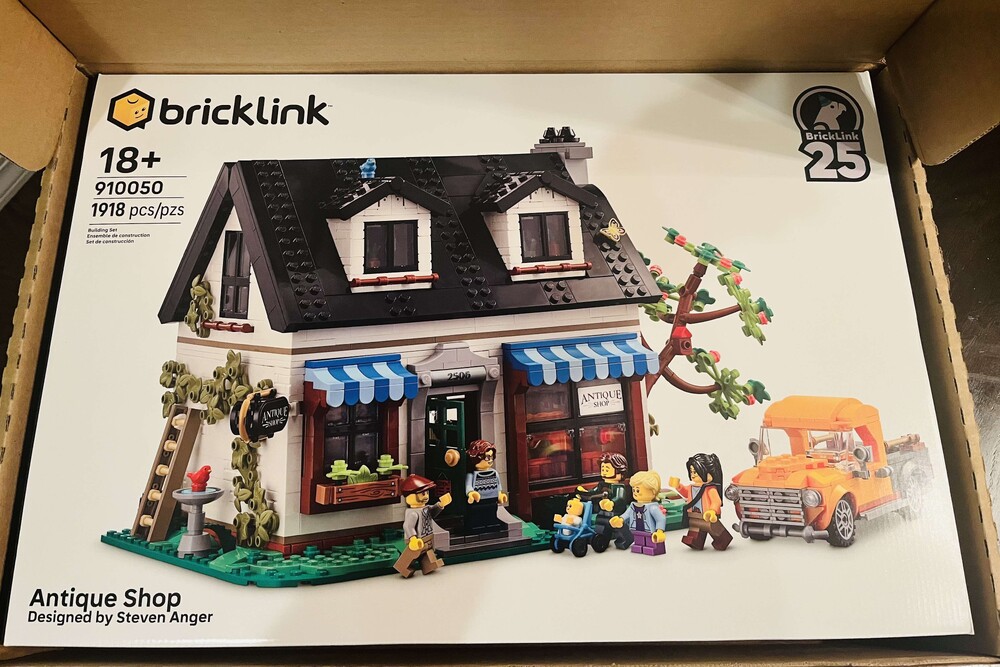
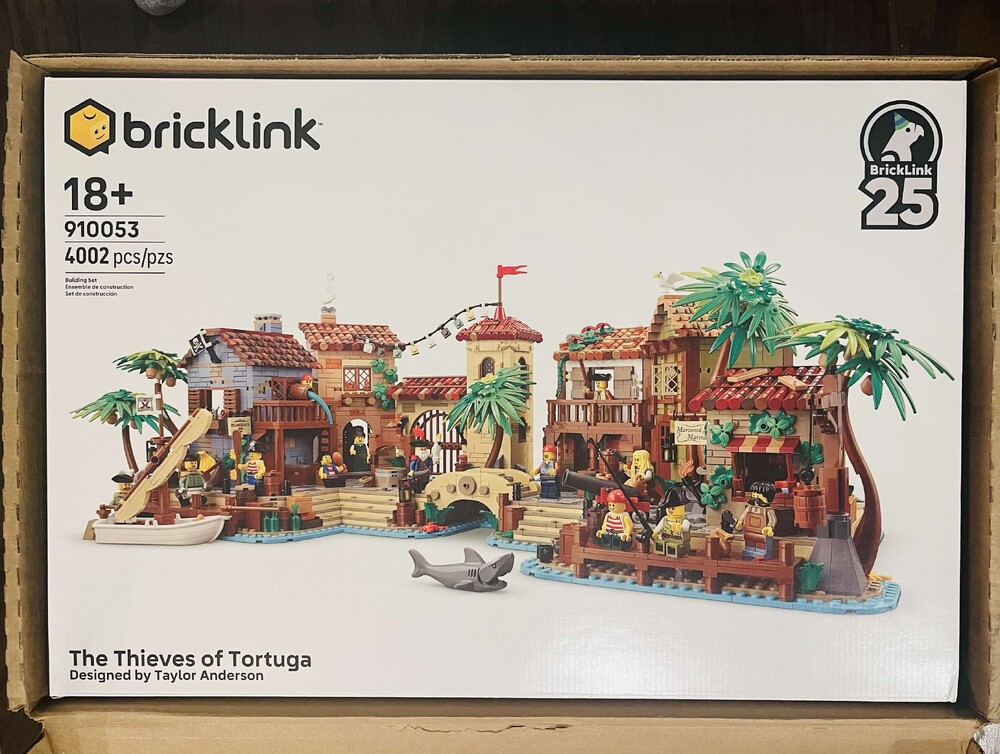
For anyone still holding out on ordering, looks like we are getting official boxes. OBTW this is from 

wait for it

the instructions App ;) 


F4839400-42F3-49E2-A4FB-099B7C670A9D.png

3E4987F8-4DC4-45EF-9991-79FA5AC9DF37.png

A44444CC-4EDF-4B85-B40A-64B1033AE5EC.png

Sweet

11 hours ago, Pseudoty said:

For anyone still holding out on ordering, looks like we are getting official boxes. OBTW this is from 

wait for it

the instructions App ;) 


F4839400-42F3-49E2-A4FB-099B7C670A9D.png

3E4987F8-4DC4-45EF-9991-79FA5AC9DF37.png

A44444CC-4EDF-4B85-B40A-64B1033AE5EC.png

That looks like what we got a few years ago with the very first round - a plain black box with a printed sleeve that goes over it. It's a nice black box - opens with flaps in a way that it's reusable/reclosable and kind of opens up like a tray. This video shows what they looked like then: 


32 minutes ago, CathyVT said:

That looks like what we got a few years ago with the very first round - a plain black box with a printed sleeve that goes over it. It's a nice black box - opens with flaps in a way that it's reusable/reclosable and kind of opens up like a tray. This video shows what they looked like then: 


I did not participate in that but a few big differences I see are that the new ones have the official LEGO logo on the top of the box and a Lego set number.  I am thinking that may help with resale value?

The original packaging from the very first round of BrickLink sets were beautiful. They were the same as what is being shown above with the black box and full color sleeve but they also had a spot UV coating on the black box giving it a very high-end feel. You can see the spot UV coating in the video posted above.

And hand numbered. 

Edited by Gonkalin

Just now, Gonkalin said:

Looks even better than the originals since it has Lego logo on it. That's the icing on the cake!

And we are getting the minifigures a few sets had theirs canceled. The piece count is lower by around 50 from the original submission. 

16 minutes ago, Pseudoty said:

And we are getting the minifigures a few sets had theirs canceled. The piece count is lower by around 50 from the original submission. 

Which sets had their minifigures canceled?

2 minutes ago, HollyS said:

Which sets had their minifigures canceled?

Brick West studios which was supposed to be in round 2.  When it was finalized the minifigs were removed and some color changes. Can't recall the others from the article I read. 

On 11/30/2021 at 10:37 AM, Pseudoty said:

Castle.jpg

Box art looks pretty neat. Can't wait to get my hands on one.  

We will ship the first round of pre-orders in early December, including all Castle in the Forest pre-orders. If you ordered in the second (August) wave, your order may ship as late as June 2022.

Due to the global shipping situation, some shipments to the US, Australia, and New Zealand will be delayed as late as February 2022. Thank you for your patience and understanding.

Round 2 sets are available for pre-order now through December 15th. Haven't ordered yet? Pre-order here: http://bit.ly/BDP_2021

#BrickLink #BrickLinkDesignerProgram #BDP2021 #LEGO #LEGOIDEAS

4 minutes ago, Pseudoty said:

3 Castles Shipping! Still waiting on the singles. 

51BF02CE-B1C4-452D-9938-E33A40A0D3F7.png

Yes, My Castles, Boats, Safes, and Planes are also now getting ready to go. 

Very nice. I'm glad they are giving people a heads up on the upcoming charges. Brilliant of them. Instead of getting a handful of bounced bank accounts or out-of-date credit cards. Wonder if this means days or weeks until charge? But good on them for the heads up regardless. I would guess this means it will be a week or less until they charge cards. 

2 minutes ago, iahawks550 said:

I guess this means it gives people the chance to cancel, also. Might be some opportunity to buy?

4sure nice form especially after the release of the box art pics.  

Join the conversation

You can post now and register later. If you have an account, sign in now to post with your account.
Note: Your post will require moderator approval before it will be visible.

Guest
Reply to this topic...

Recently Browsing 0

  • No registered users viewing this page.

Configure browser push notifications

Chrome (Android)
  1. Tap the lock icon next to the address bar.
  2. Tap Permissions → Notifications.
  3. Adjust your preference.
Chrome (Desktop)
  1. Click the padlock icon in the address bar.
  2. Select Site settings.
  3. Find Notifications and adjust your preference.