Jump to content
View in the app

A better way to browse. Learn more.

BRICKPICKER

A full-screen app on your home screen with push notifications, badges and more.

To install this app on iOS and iPadOS
  1. Tap the Share icon in Safari
  2. Scroll the menu and tap Add to Home Screen.
  3. Tap Add in the top-right corner.
To install this app on Android
  1. Tap the 3-dot menu (⋮) in the top-right corner of the browser.
  2. Tap Add to Home screen or Install app.
  3. Confirm by tapping Install.

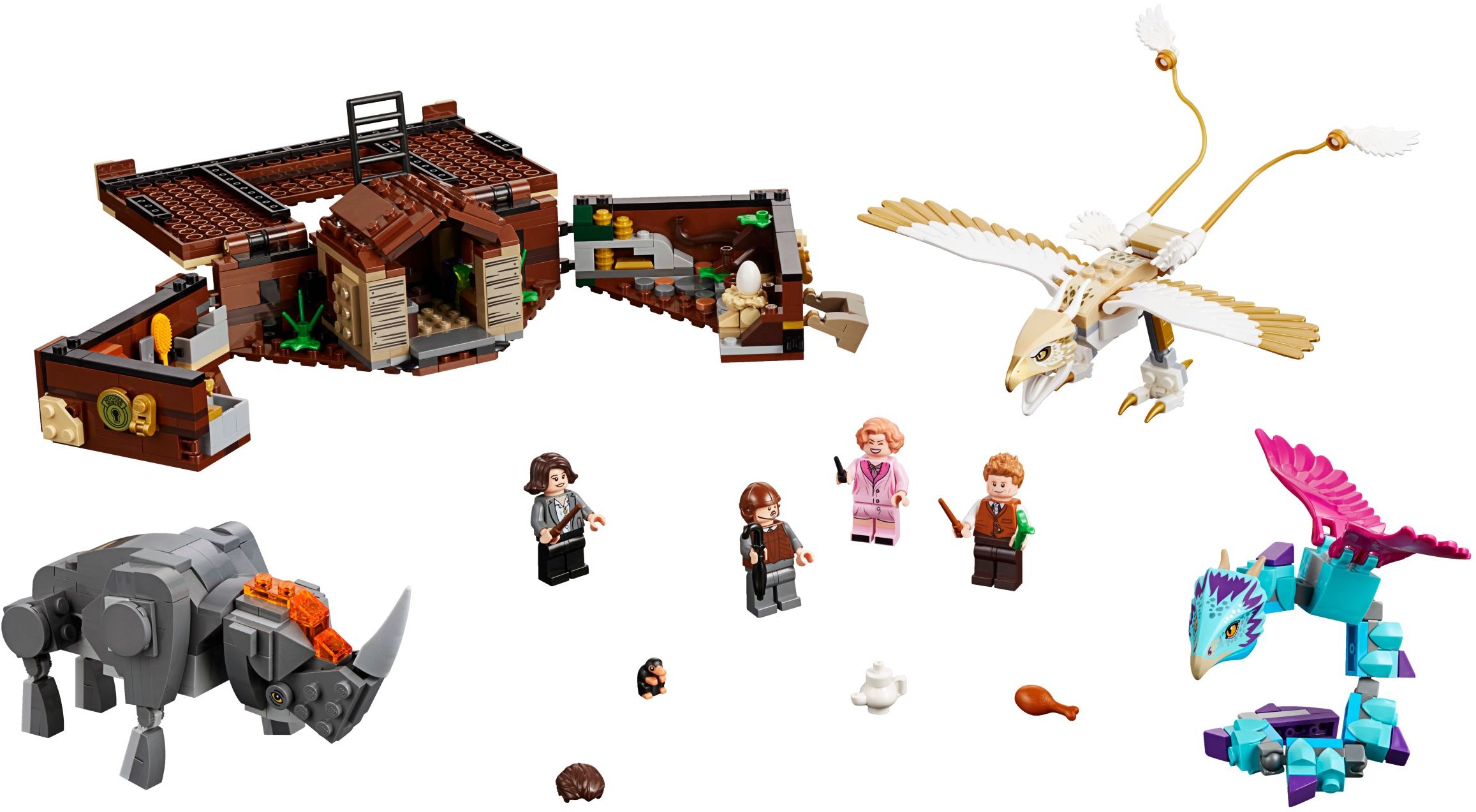
75952 - Newt's Case of Magical Creatures

Featured Replies

Just missing a T Rex and a helicopter and all bases would be covered.

The fact that it is a suitcase makes it pretty cool.

75952-2.jpg

5 minutes ago, cardkid said:

The fact that it is a suitcase makes it pretty cool.

75952-2.jpg

Agreed.  I want one now simply for this novelty.

On ‎6‎/‎25‎/‎2018 at 12:09 PM, cardkid said:

The fact that it is a suitcase makes it pretty cool.

This reminds me of the Micro Machines playsets out when I was a kid.

15 hours ago, TheOrcKing said:

This reminds me of the Micro Machines playsets out when I was a kid.

Mighty Max/Polly Pocket

  • 4 months later...

My son just finished building this, it is a pretty cool and neat set with a clever design. I, umm he,  likes it . 

My son just finished building this, it is a pretty cool and neat set with a clever design. I, umm he,  likes it . 


I cannot understand why they don’t display the suitcase function more prominently in the box art.


Sent from my iPhone using Brickpicker Forum mobile app

Join the conversation

You can post now and register later. If you have an account, sign in now to post with your account.
Note: Your post will require moderator approval before it will be visible.

Guest
Reply to this topic...

Recently Browsing 0

  • No registered users viewing this page.

Configure browser push notifications

Chrome (Android)
  1. Tap the lock icon next to the address bar.
  2. Tap Permissions → Notifications.
  3. Adjust your preference.
Chrome (Desktop)
  1. Click the padlock icon in the address bar.
  2. Select Site settings.
  3. Find Notifications and adjust your preference.