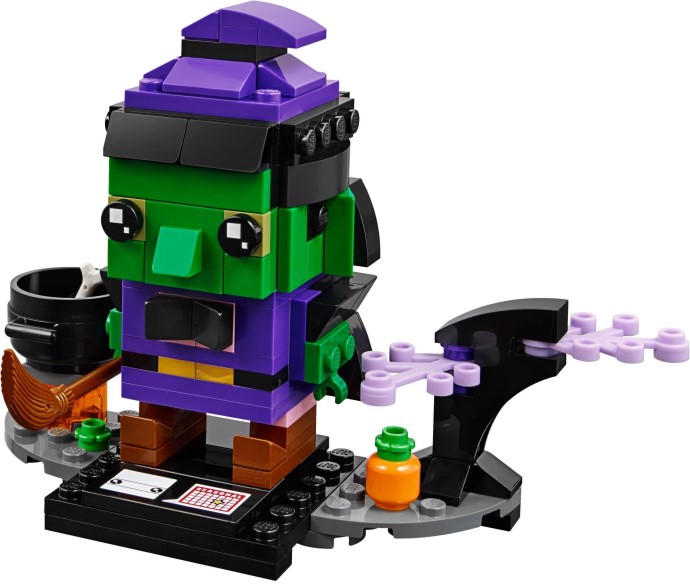
February 6, 20187 yr this feels lazy, a Hulk with a broom . there better be a more "mainstream" set that will go with it.
February 6, 20187 yr 7 minutes ago, Bold-Arrow said: this feels lazy, a Hulk with a broom . there better be a more "mainstream" set that will go with it. Perhaps this is still a promotional photo? The other seasonal brickheadz have at least come with decorated bases so I'll hold judgement until its official. At first glance though, it looks more like a gnome with a purple goatee.
February 6, 20187 yr Skeleton or a zombie would have been a cooler choice. Then again maybe they are saving that for potential Minecraft brickheadz...
February 6, 20187 yr 1 minute ago, Cheese said: Here’s all the rest that are planned The witch is the worst one I think, the rest look great. Still waiting for the Bunny to be available to order in Europe.
February 6, 20187 yr 3 minutes ago, gregpj said: Just remember what we used to get as holiday sets... *shudder* OMFG!
February 6, 20187 yr 1 hour ago, exciter1 said: Looks like green goblins is being forced to clean up his mess. Edited February 6, 20187 yr by lazuli16 grammar
February 6, 20187 yr 42 minutes ago, lazuli16 said: Looks like green goblins is been forced to clean up his mess. Yep. It should have come with a glider than a broom :p
February 6, 20187 yr 1 hour ago, lazuli16 said: Looks like green goblins is being forced to clean up his mess. You just gave LEGO a free, rehash idea! Might as well start a new thread "Marvel Brickheadz 2019"!
February 6, 20187 yr 3 hours ago, Goofball814 said: You just gave LEGO a free, rehash idea! Might as well start a new thread "Marvel Brickheadz 2019"! How many Iron mans would have been done by then (3 at the moment)