September 2, 20178 yr wow, that's a well... very high entry level for this bonus VIP set. They wan't to MILK VIP's as much as possible?
September 2, 20178 yr wow, that's a well... very high entry level for this bonus VIP set. They wan't to MILK VIP's as much as possible?Better be worth it. Although could be good to pair up with Saturn V.
September 2, 20178 yr The Saturn will be a great set to get for the promo and double VIP, but not sure about this promo, it's not a patch on the Christmas promos from the last few years.
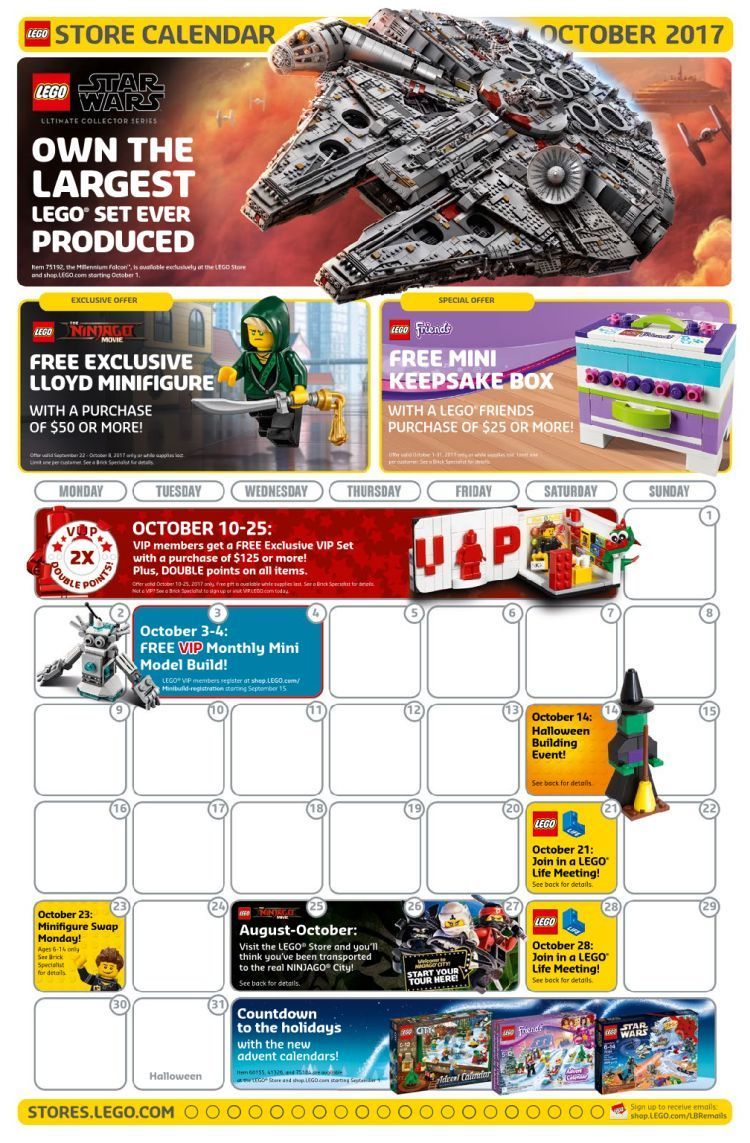
September 2, 20178 yr So October 10-25 is absolutely the best time to get the Falcon. 1600 points and that awesome VIP set!
September 2, 20178 yr 1 hour ago, CM4Sci said: So October 10-25 is absolutely the best time to get the Falcon. 1600 points and that awesome VIP set! I remember a LEGO store employee telling me I should wait for double VIP on the Saturn V when it was released. Glad I didn't listen on that one. Not that it isn't a good idea, but you are rolling the dice on its availability by October 10th.
September 2, 20178 yr 1 hour ago, CM4Sci said: So October 10-25 is absolutely the best time to get the Falcon. 1600 points and that awesome VIP set! Risky, but possible if planning to buy in-store first thing on 10 October. I'm torn between day-1 and waiting for double VIP points+gift. Perhaps if they make that special edition VIP card very limited, it may be the only way to indicate that the set was purchased on release day.
September 2, 20178 yr I'll be there for both the day 1 release and Oct 2017 double VIP - just can't pass up either one right now - if you have the means and want the UCS 75192 set this is good way to go.
September 2, 20178 yr Black VIP card is a joke. Free vip set with $125 purchase on the other hand....they'll get my $

 2
2
