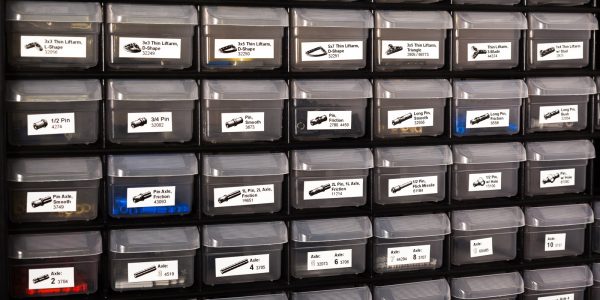
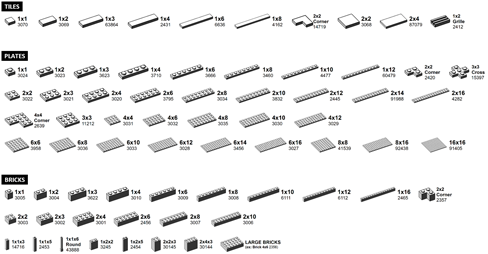
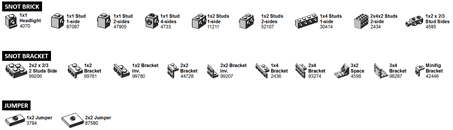
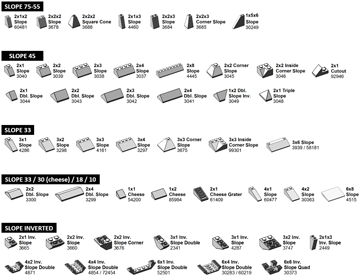
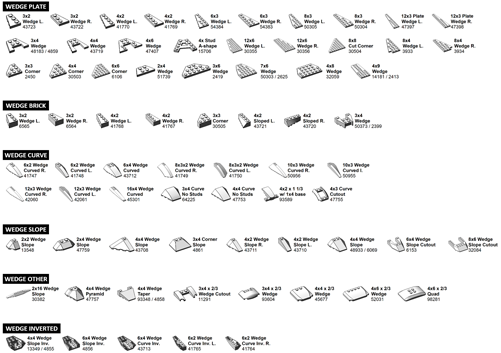
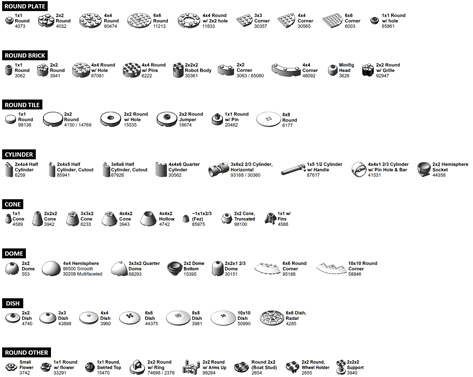
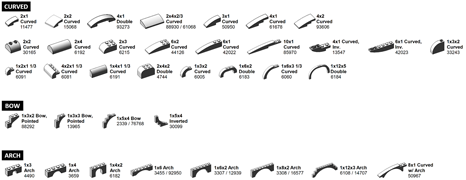
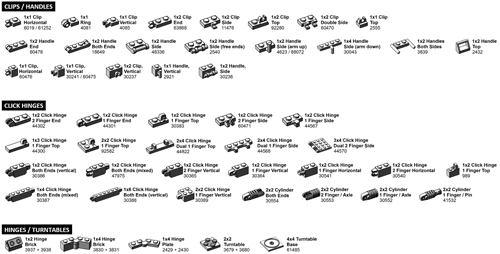
November 2, 201510 yr Popular Post Have you always wanted to organize your LEGO collection, but didn't know how to get started? Or, maybe you've already sorted your LEGO, but it's hard to find which box, bin or drawer has the part you need? I'm excited to share a massive update to the LEGO Brick Labels collection to include most of the bricks in a typical AFOL LEGO collection.Sample showing crisp images and a clear description of each LEGO Element.This updated collection includes 500 different labels organized into the following groups: Basic Elements (bricks, plates, tiles), SNOT Elements, Slopes, Wedges, Round, Curved, Clips/Hinges. Two additional groups are in “beta” because they aren’t quite complete: Technic, and ‘Other’. LEARN MORE: http://brickarchitect.com/labels/Sample showing Technic labels on an Akro-Mils 64-drawer cabinet.Here is a low-resolution preview of many of the labels contained in the collection. (Technic is not included in the preview images as it is in "beta".)You can learn more and download the labels at: http://brickarchitect.com/labels/Love the labels? Let me know! Comments, corrections or ideas how to make them better - I'd love to hear your feedback!Sincerely,Tom AlphinAuthor of The LEGO Architect, 2015, No Starch Press.
February 11, 20169 yr Thanks for all your efforts. Awesome stuff. I look forward to printing off the new labels.
February 11, 20169 yr congratulations, that's an awesome accomplishment. I'll take a look at your site when I get home. (work blocks it.)
February 11, 20169 yr Tom, awesome resource, as usual. Thanks for sharing. Would you be willing to take a close up photo of one or two of your Akro-Mils drawers? I'd like to see how you have things arranged, even in just a small section. Just curious.
August 31, 20169 yr Awesome Tom. Thanks for putting this out there. I just bought those organizers to start putting my parts into something, and was thinking about how I would label it. Thanks for posting an update.
August 31, 20169 yr Whats the best and cheapest printer to be able to make these labels? Oh and wher eto buy said awesome cheap printer..........
August 31, 20169 yr 9 minutes ago, longshot said: Whats the best and cheapest printer to be able to make these labels? Oh and wher eto buy said awesome cheap printer.......... ... just a printer
August 31, 20169 yr Mr. Longshot - all your answers are on Tom Alphin's website, as per his post above. LEARN MORE: http://brickarchitect.com/labels/ Quote These labels are designed to be printed using a Brother Label printer (such as the PT-P700) on Brother 1/2″ Laminated Tape. These labels are waterproof, smudgeproof, durable, and they come in a variety of colors such as White, Pink, Yellow, Lime Green,Clear, and even Gold. Any Brother printer which prints on “P-touch” 1/2 inch (12mm) labels will work. The higher-end PT-P700 seems to be the best value at this time.
August 31, 20169 yr 3 minutes ago, Phil B said: Mr. Longshot - all your answers are on Tom Alphin's website, as per his post above. LEARN MORE: http://brickarchitect.com/labels/ He even gives you the breakdown on 3 models. Use his affiliate links to buy! Edited August 31, 20169 yr by Cozei
August 31, 20169 yr Very cool, thanks for sharing. I have been interested in starting a BL store, but organization of inventory seems to be a major impediment. I have some partial sets that I would like to part out- some in sealed bags (but missing other bags) and some incomplete. Not sure if those should be separated out into bins or kept together as parts. Can anyone speak to strategies for organizing Lego starting off? As I understand it, Lego makes like 10,000 different parts (not sure if that includes all the color combos), I would assume you would need to buy at least a few 64 drawer bins to get started and have some catch all bins. Because you might only have one of some pieces and that would not justify a full drawer. It would be great to buy enough, to have all the stickers- so you could just drop new pieces in when you- but then you would have to buy a few grand of bins and that would take up a lot more space than just storing the parts.
September 13, 20169 yr Hello Tom, Thanks for the labels, it is a work in progress. But I am more organized than ever. -Steeve
November 1, 20169 yr Tom, So I've started in on my own sorting project, and labeling my bins. Love the labels that you've created, and I'm happy using them. However, question for you - any chance that you might make the original images available as JPGs or GIFs? I have a Dyno lablel printer, and didn't want to go out and get at the Brother printer. So far, my workflow has been to zoom in on the image in the full PDF, screen shot it, and paste that into my Dyno label program. Then print that out. It's a little pixelated, but it works. Would love to have the originals so I can print out what I need as I need it. (I, too, am working on a Mac) Thanks!
November 14, 20169 yr Thanks for the reply Tom! Much appreciated. Guess I'll getting a Brother for Christmas.
Join the conversation
You can post now and register later. If you have an account, sign in now to post with your account.
Note: Your post will require moderator approval before it will be visible.