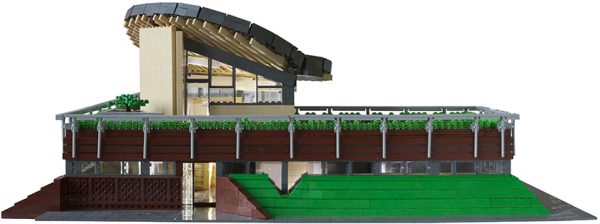
I am excited to share another in-depth look at an amazing LEGO Architecture creation, a minifigure-scale model of the Maggie's Centre in Newcastle, UK by Edward Cullinan Architects. The LEGO model is by Steve Mayes, an architectural photographer and talented LEGO Artist.
Maggie's Centre is a nonprofit organization dedicated supporting people living with cancer, in beautifully designed buildings by influential architects like Frank Gehry and Zaha Hadid.
Maggie's Centre (2013) in Newcastle, UK by Edward Cullinan Architects.
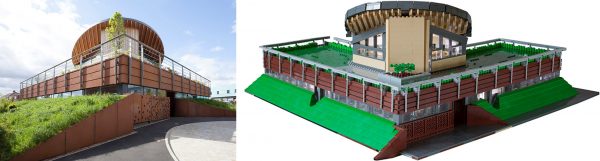
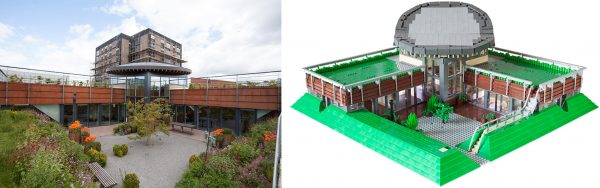
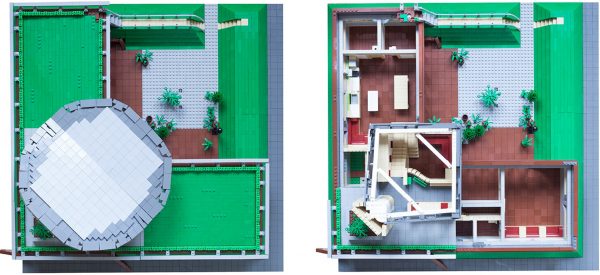
Steve was generous enough to provide me with a lot of photos of his model, which I chose to show side-by-side with photos of the real building. I think he did an excellent job in capturing some difficult shapes and a lot of fine details in this model.
You can post now and register later.
If you have an account, sign in now to post with your account.
Note: Your post will require moderator approval before it will be visible.


I am excited to share another in-depth look at an amazing LEGO Architecture creation, a minifigure-scale model of the Maggie's Centre in Newcastle, UK by Edward Cullinan Architects. The LEGO model is by Steve Mayes, an architectural photographer and talented LEGO Artist.
Maggie's Centre is a nonprofit organization dedicated supporting people living with cancer, in beautifully designed buildings by influential architects like Frank Gehry and Zaha Hadid.
Maggie's Centre (2013) in Newcastle, UK by Edward Cullinan Architects.
Steve was generous enough to provide me with a lot of photos of his model, which I chose to show side-by-side with photos of the real building. I think he did an excellent job in capturing some difficult shapes and a lot of fine details in this model.
Front of building
Rear of building
Aerial view of model
If you would like to learn more about the design and construction process, and see additional photos of the model, visit http://thebrickarchitect.com/2015/maggies-centre-newcastle/
Sincerely,
Tom Alphin
Edited by henrysunset