Jump to content
View in the app

A better way to browse. Learn more.

BRICKPICKER

A full-screen app on your home screen with push notifications, badges and more.

To install this app on iOS and iPadOS
  1. Tap the Share icon in Safari
  2. Scroll the menu and tap Add to Home Screen.
  3. Tap Add in the top-right corner.
To install this app on Android
  1. Tap the 3-dot menu (⋮) in the top-right corner of the browser.
  2. Tap Add to Home screen or Install app.
  3. Confirm by tapping Install.

Featured Replies

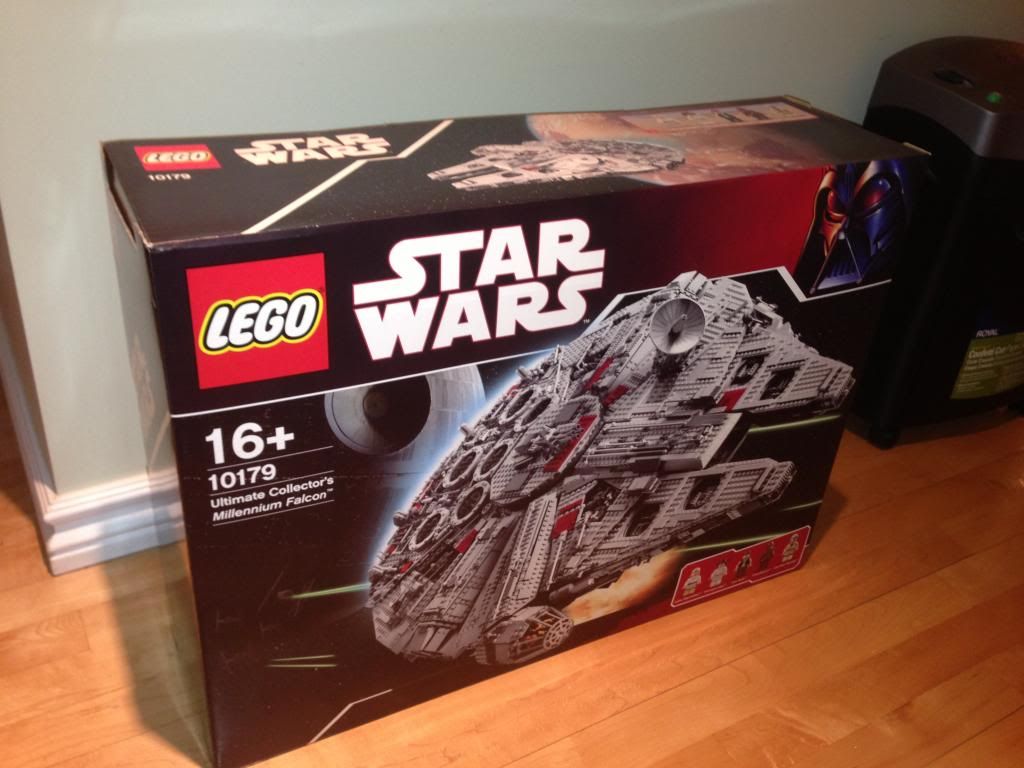
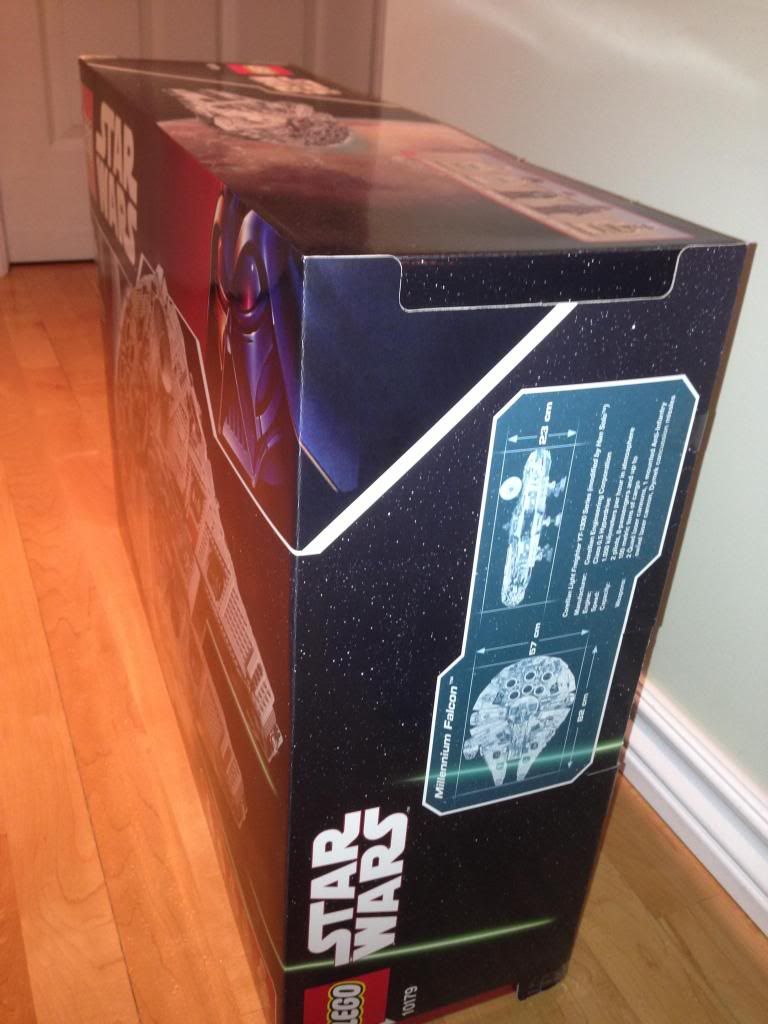
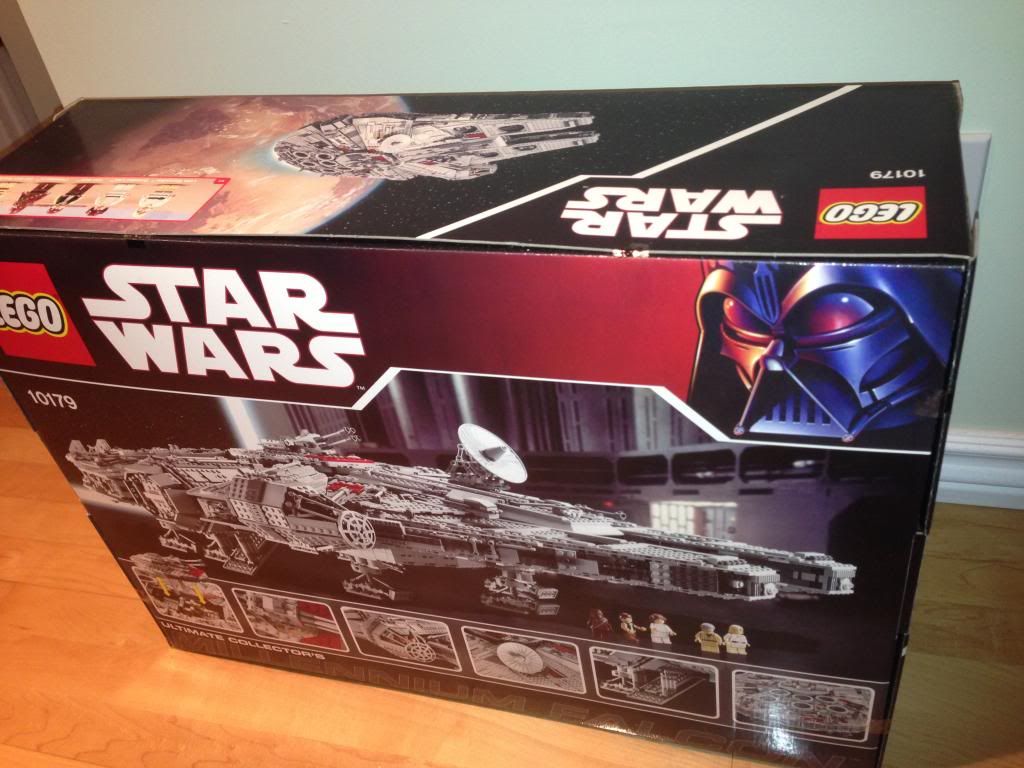
I'll get my 10179 tonight and I want to be sure the box contain the millenium falcon :) I read that it's possible to reseal a box, so I'm a bit nervous about that. Anyone have some tips for me to be sure "how to be sure the box is the intact original" and "how to inspect a box" Everyting look ok on the photos: Thanks!

It's easy to put the same weight with random brick no?

I suppose anything is possible - You can really only increase your odds of knowing that the set is ok. Even store bought sets have returns that have been tampered with. In theory someone "could" have opened the box, unsealed 1 bag, replaced 1 piece with a counterfeit piece, resealed the bag, & then resealed the box. Doubtful, but it is possible. Did you get the set from a reputable seller?

  • Author

I suppose anything is possible - You can really only increase your odds of knowing that the set is ok. Even store bought sets have returns that have been tampered with. In theory someone "could" have opened the box, unsealed 1 bag, replaced 1 piece with a counterfeit piece, resealed the bag, & then resealed the box. Doubtful, but it is possible. Did you get the set from a reputable seller?

I think, 83 on Bricklink. Plus I have his real name/address (3km of my home). I'm probably too paranoid, but for it's my first big transaction.

And I'm wondering if I should open the box to see if all the bag are there or if I should leave it sealed?

Join the conversation

You can post now and register later. If you have an account, sign in now to post with your account.
Note: Your post will require moderator approval before it will be visible.

Guest
Reply to this topic...

Recently Browsing 0

  • No registered users viewing this page.

Configure browser push notifications

Chrome (Android)
  1. Tap the lock icon next to the address bar.
  2. Tap Permissions → Notifications.
  3. Adjust your preference.
Chrome (Desktop)
  1. Click the padlock icon in the address bar.
  2. Select Site settings.
  3. Find Notifications and adjust your preference.