Jump to content
View in the app

A better way to browse. Learn more.

BRICKPICKER

A full-screen app on your home screen with push notifications, badges and more.

To install this app on iOS and iPadOS
  1. Tap the Share icon in Safari
  2. Scroll the menu and tap Add to Home Screen.
  3. Tap Add in the top-right corner.
To install this app on Android
  1. Tap the 3-dot menu (⋮) in the top-right corner of the browser.
  2. Tap Add to Home screen or Install app.
  3. Confirm by tapping Install.

Anyone bored and want to help sort through my bulk??

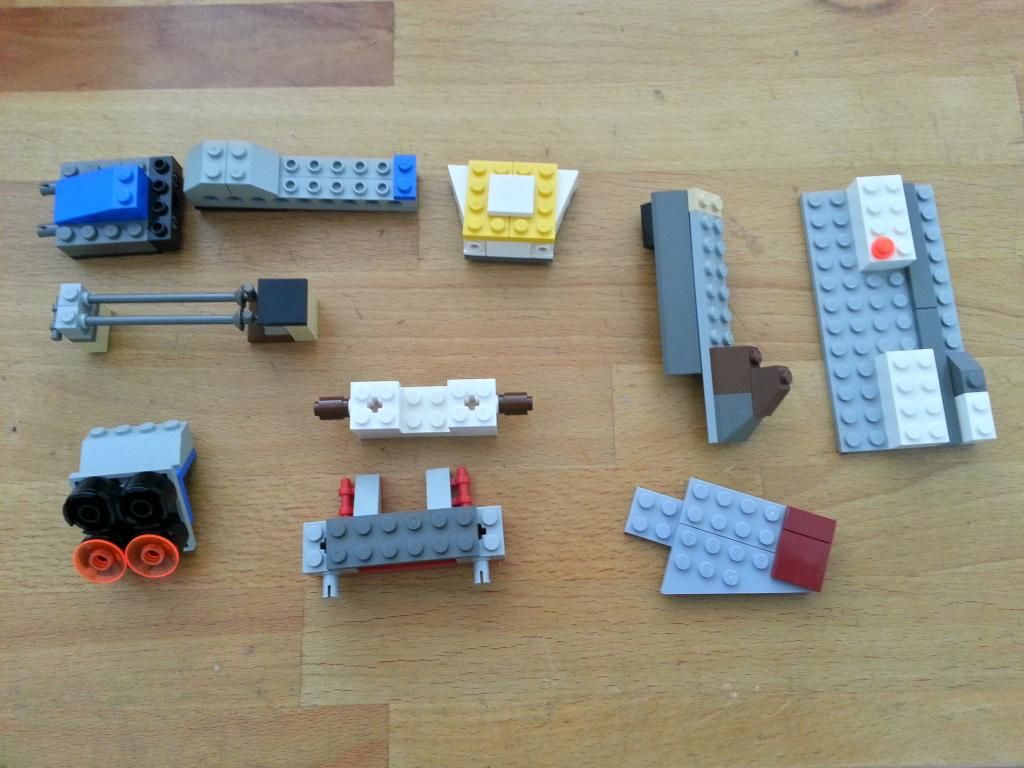
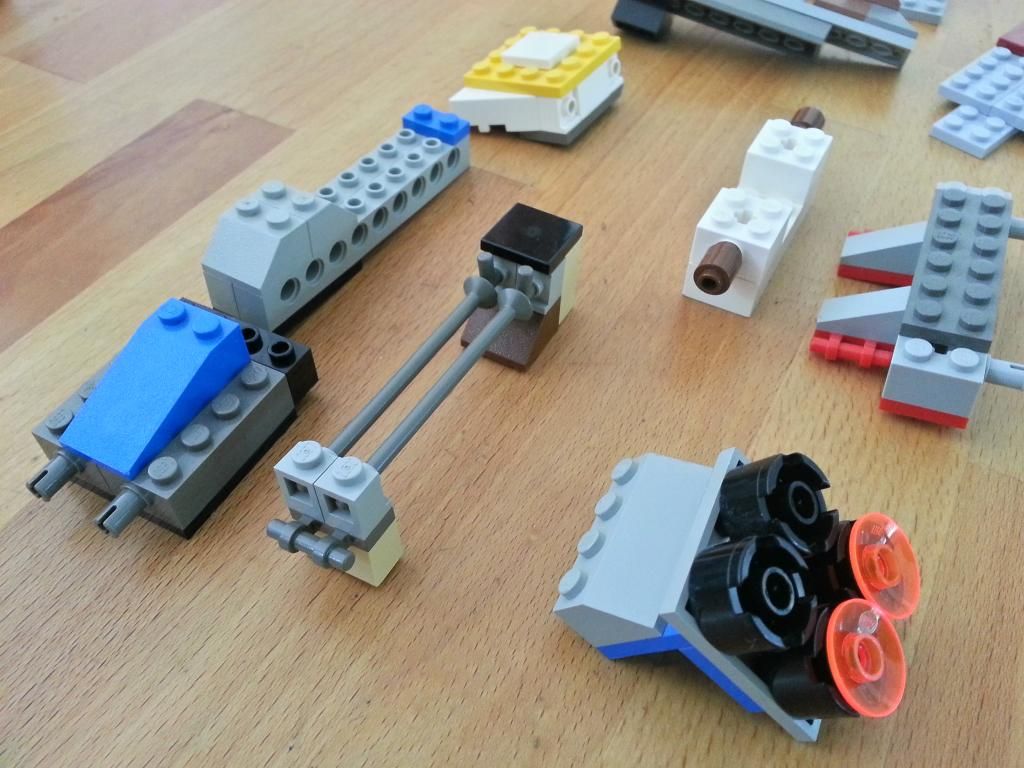
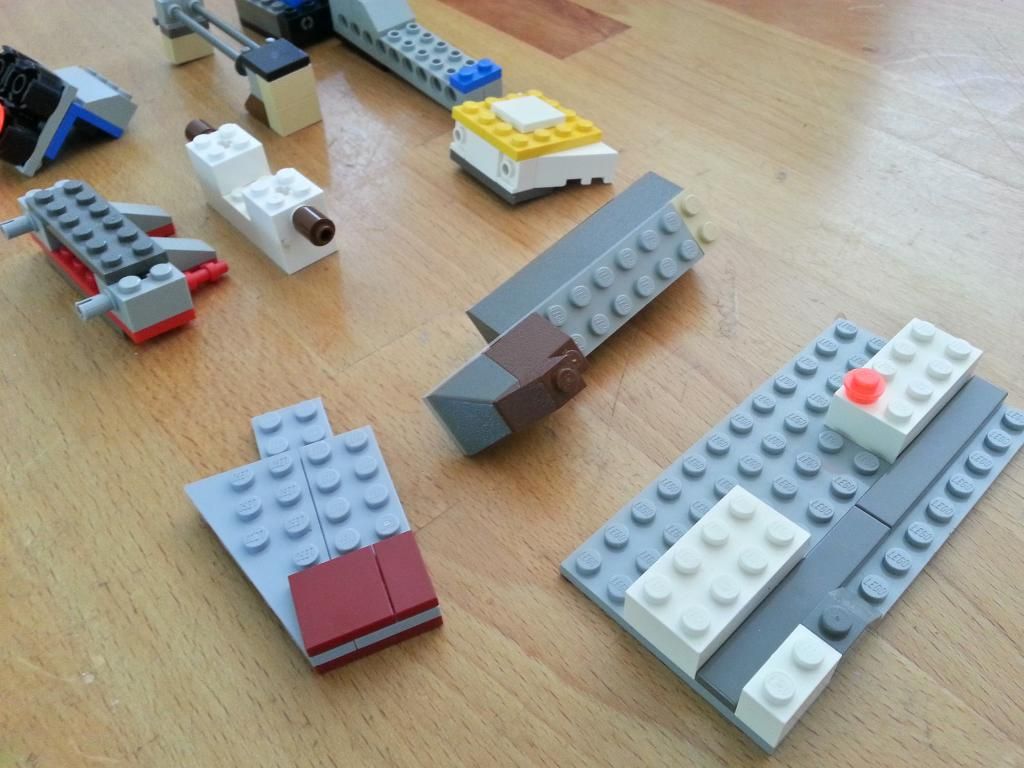
Just going through my overwhelming task of going through bulk. Here are some things I've pulled out. If anyone recognizes anything I'd love some info. I know there small bits but you guys are wicked Lego smaaaaht. Thanks, Josh
192_zps555a955d.jpg
193_zpsd1d4de32.jpg
194_zps6162337b.jpg

Featured Replies

Not sure if already mentioned but_


the blue dingy and the grey panel (with yellow hook piece) should be from the set 8635 - Agents command centre truck


I think I can see parts from the pod race sets for sebulas podracer and anakins podracer - set number 7171?


Piece with the blue fan is from - life on mars set 7313

In addition to my last post - just noticed:-


The blue wing with yellow tiles comes from agents gold hunt - 8630


and I can see both elements of the geonosian fighter and cannon from set 4478

Join the conversation

You can post now and register later. If you have an account, sign in now to post with your account.
Note: Your post will require moderator approval before it will be visible.

Guest
Reply to this topic...

Recently Browsing 0

  • No registered users viewing this page.

Account

Navigation

Search

Configure browser push notifications

Chrome (Android)
  1. Tap the lock icon next to the address bar.
  2. Tap Permissions → Notifications.
  3. Adjust your preference.
Chrome (Desktop)
  1. Click the padlock icon in the address bar.
  2. Select Site settings.
  3. Find Notifications and adjust your preference.