

Leaderboard
-
fuzzy_bricks
Members+2Points3,454Posts -
Bricklectic
Members+2Points2,844Posts


Popular Content
Showing content with the highest reputation on 10/24/2025 in Posts
-
BLOCK2 points
-
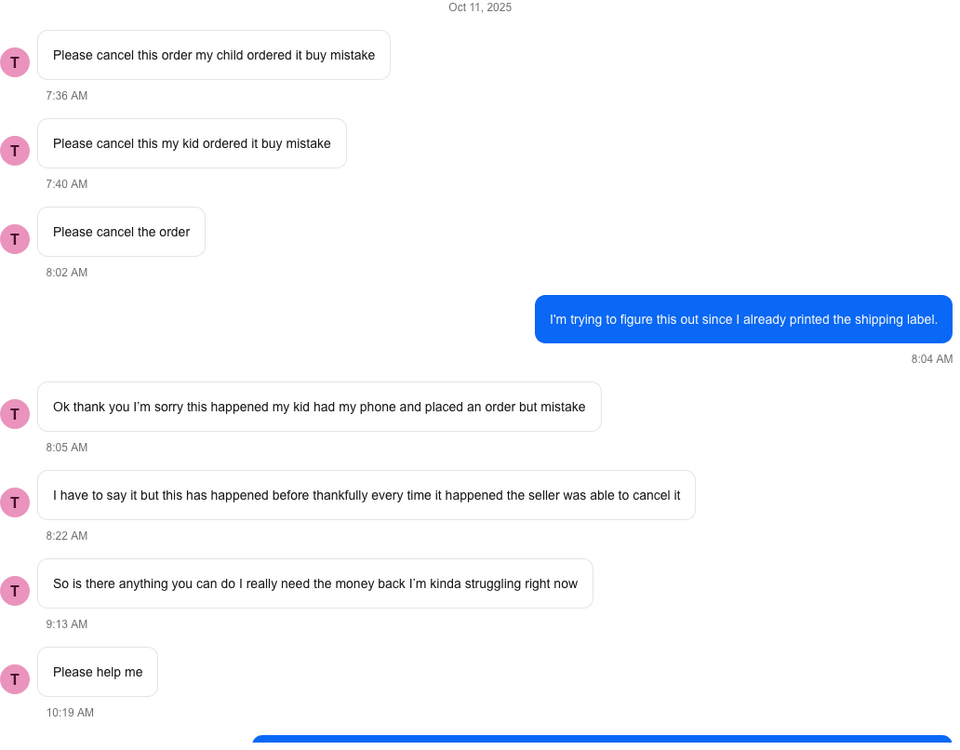
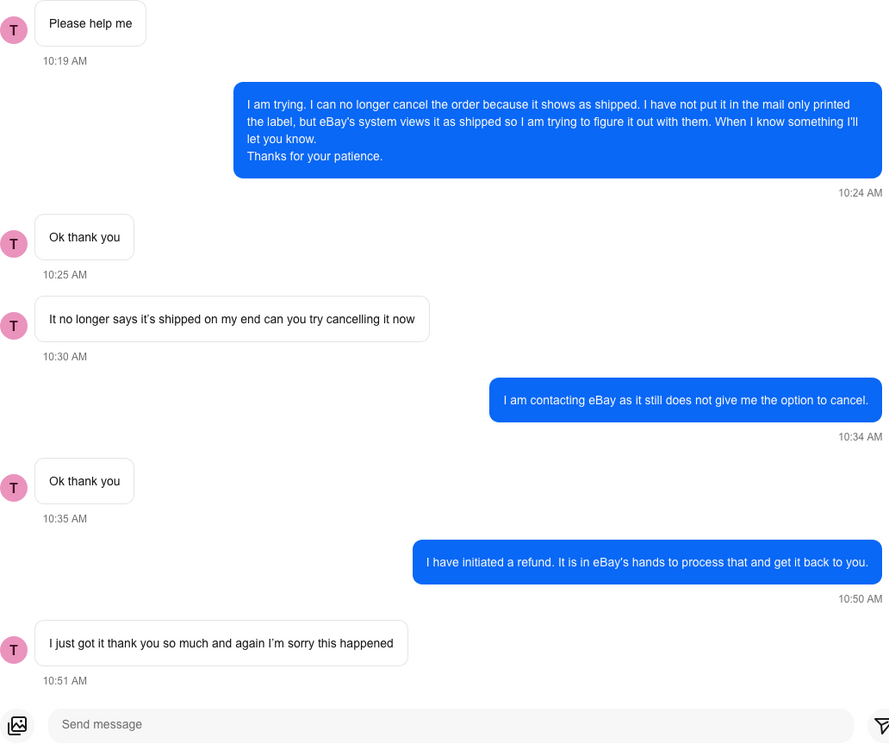
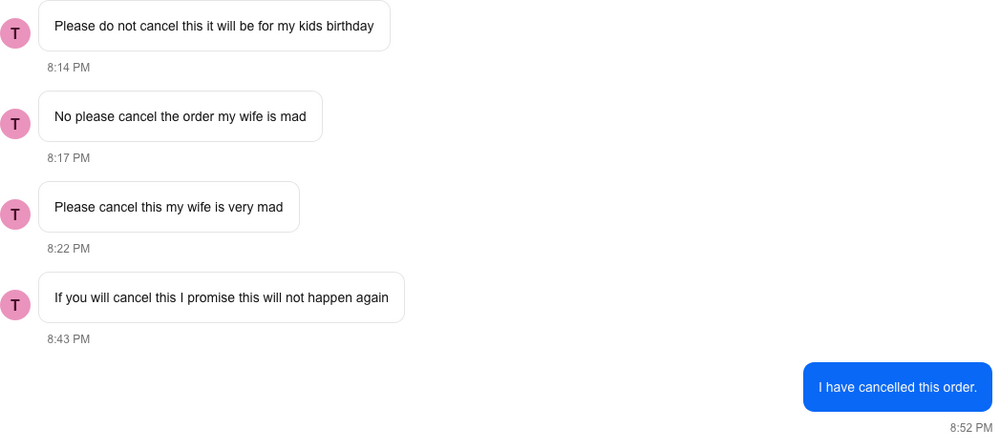
I ended up just initiating a refund and that basically worked the same as cancelling and everything seems to be sorted out. So the guy that did this ended up doing it again to me on a different set. I did not ship the second set before the cancellation request came in so I was able to cancel after the fruitcake finally made up his mind. The first two images are from the first transaction the third image is from the second. I knew the guy was a little antsy so I didn't cancel immediately, I should have let it go all night to see how many messages he would have sent. I added him to my blocked list after I set the last message. Second transaction, he submitted a cancellation request and then sent this message.
 2 points


